
What is Piechartmaker.co?
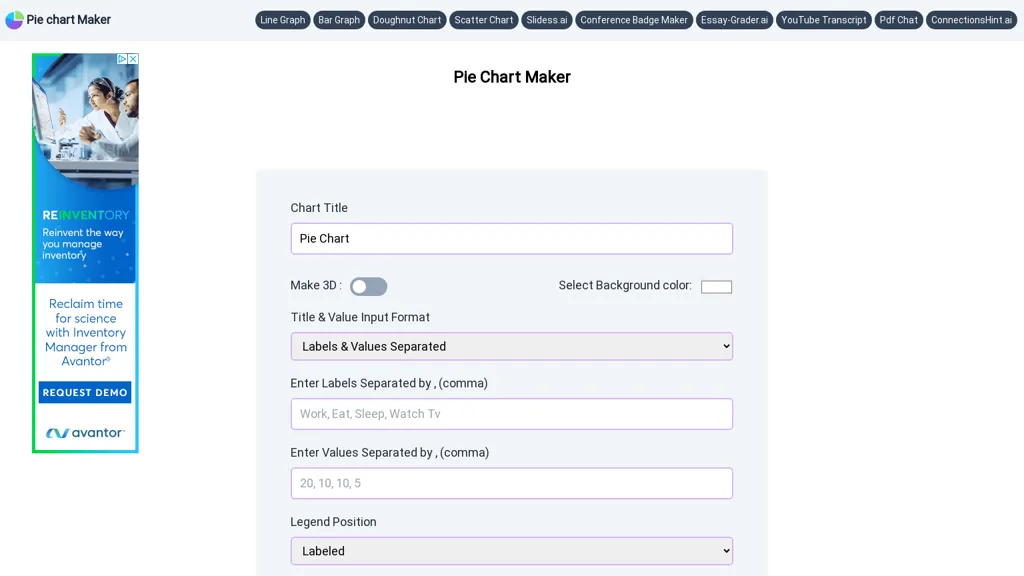
Pie Chart Maker enables quick creation of pie, doughnut, and 3D charts with a simple interface. Users can input labels and values separated by commas or in a combined format, set background color, and adjust the title and legend colors. The tool offers optional features such as a central hole for doughnut charts, slice text display, and rotation control.
Piechartmaker.co pricing Free
This tool is free to use, with no credit card required.
Verify on the official pricing page.
Get started freePiechartmaker.co user reviews
Based on 4 reviews, 50.0% of users recommend Piechartmaker.co, rated highly for value for money.
2
recommend
2
don't
4 reviews
Liked for
Worth the price
2 of 2
Quality results
1 of 2
Easy to use
1 of 2
All key features
1 of 2
Good integrations
1 of 2
Disliked for
Inconsistent results
2 of 2
Missing features
2 of 2
Not worth the price
1 of 2
Hard to use
1 of 2
Lacks integrations
1 of 2
Would you recommend Piechartmaker.co?
Recommend this tool?
Piechartmaker.co's key features
-
One-click 3D pie chart
-
One-click doughnut chart
-
Adjust legend position
-
Set background color
-
Download PNG JPEG SVG
-
Comma-separated labels and values
Piechartmaker.co use cases
-
Generate eye‑catching sales reports for a quick stakeholder meeting using Pie Chart Maker’s drag‑and‑drop color picker and instant SVG export
-
Create interactive student progress dashboards by entering grades as comma‑separated values, rotating the chart to highlight key sections, and exporting a PNG for class posters
-
Design polished marketing infographics that include doughnut charts with customizable legends, then save in JPEG format for social media sharing
Who is it for?
-
Small business owners
-
Content creators
-
Project managers
-
Data analysts
-
Visual learners


