
Top 29 Unscreen.com Alternatives in 2026
69% positive · 29 user reviews FreemiumUnscreen is a cloud video editor that removes backgrounds from clips and exports them instantly, with format conversion and resizing. It offers plugins for After Effects and Premiere Pro and integrates with Canva for AI‑enhanced features.
We've ranked 29 Unscreen.com alternatives, including 20 with a free plan. Rankings are based on feature coverage and user feedbacks.
Top-rated alternatives include SnapEdit, CapCut, and Remove.bg.
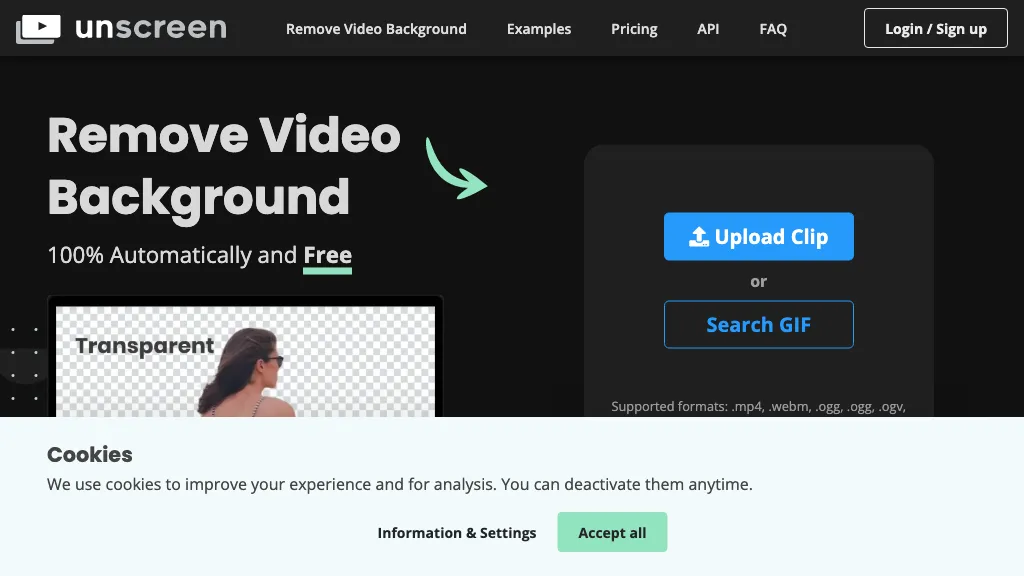
29 Unscreen.com Alternatives & Competitors, Ranked by User Reviews
Click Compare on any tool to compare it side-by-side with Unscreen.com.

SnapEdit is an AI‑driven photo editor that removes objects, backgrounds, and text, provides 100+ background templates, upsamples images to HD/4K, and offers skin retouching, all accessible via web, iOS, and Android.

CapCut is an AI-powered video editor & design tool with social media templates, background removal, upscaling, color correction, portrait generation, text-to-speech, voice changers, and team collaboration support - accessible online and for Mac download.
 #3
Remove.bg
#3
Remove.bg
Remove.bg is an AI-powered tool that automatically removes backgrounds from images with high accuracy, saving time and effort for users in e-commerce, media, and design applications through seamless workflow integration.
 #4
BackGroundRemove.io
#4
BackGroundRemove.io
backgroundremove.io is a tool that quickly erases image backgrounds using AI. It automatically creates clean, high-resolution cutouts, ready for e-commerce, social media, and design projects.
 #5
Background Remover
#5
Background Remover
AI Background Remover deletes backgrounds from JPG, PNG, WebP images while preserving resolution, handling up to 500 at once. Users can replace with color, gallery, or upload; ideal for designers, marketers, and e‑commerce workflows.

Clipdrop is an AI image editor that adjusts aspect ratios, extends boundaries, and adds background space while preserving detail. It offers background removal, object cleanup, relighting, universal resizing, upscale, and text‑to‑image generation for photographers and designers.
- Catch deals before they expire
- Unlock tools matched to you
- Show off your AI stacks
Already a member? Sign in
 #7
Background remover from photo by Hitpaw
#7
Background remover from photo by Hitpaw
HitPaw Online Background Remover uses AI to delete backgrounds in seconds, supporting single or up to 50‑image batch uploads. It offers transparent, black, or template backgrounds, realistic shadows, and works on Windows, macOS, iOS, Android, and browsers.
 #8
Removebackgroundai
#8
Removebackgroundai
RemoveBackgroundAI.com is a web‑based AI that deletes image and video backgrounds from JPEG, PNG, GIF, MP4, MOV files up to 234 MB, offering transparent or solid colors. It supports batch processing, multiple output formats (PNG, WebP, MP4), and a multilingual interface.
 #9
PhotoGrid
#9
PhotoGrid
PhotoGrid is a browser‑based AI photo editor that offers one‑click enhancement, background removal, and upscaling. It lets users build collages from 20,000 templates, add stickers, text, custom backgrounds, and convert images into short video clips.
 #10
EzRemove.ai
#10
EzRemove.ai
EzRemove.ai is an AI-powered tool that instantly removes image backgrounds in 5 seconds, delivering high-quality transparent PNGs with precision. It offers batch processing, customizable backgrounds, and basic editing features, ideal for ecommerce, design, and social media.
 #11
ClipDrop
#11
ClipDrop
Clipdrop uses deep learning to remove backgrounds, objects, and text, upscale images, adjust lighting, uncrop, and resize. It also offers text‑to‑image generation and an API for developers, supporting design, marketing, and app workflows.
 #12
Picsman.AI
#12
Picsman.AI
Picsman is an AI‑powered editor that removes or replaces backgrounds, ups image resolution, and applies styles like Ghibli or cartoon. It also offers text‑prompt editing, video generation, image extending, and watermark removal for quick, high‑definition results.
 #13
Retoucher
#13
Retoucher
Retoucher Online is an AI background remover handling batch uploads via drag‑and‑drop, camera, or file selection. It isolates foregrounds, lets users keep transparent backgrounds, replace with white or custom images, add shadows, fine‑tune edges, and download PNG/JPG at various resolutions.
 #14
Clipfly
#14
Clipfly
Clipfly turns text prompts into videos, animates images, and adds lifelike touches to photos. With an AI storyboard, one‑click enhancer, background removal, subtitles, and audio integration, it streamlines branded content, social clips, and personal memories.
 #15
Removal.ai
#15
Removal.ai
Removal.AI instantly isolates foreground subjects from .jpg and .jpeg images, offering preview, high‑resolution downloads, background replacement, manual eraser, API integration, batch processing, and professional editing support. Ideal for photographers, designers, marketers, and e‑commerce sites needing consistent product imagery.
 #16
Slazzer
#16
Slazzer
Slazzer: AI‑driven background removal that handles complex edges, offers upscale, shadow, sky replacement, and de‑oldifying. Available via web, desktop, mobile, API, and design‑software plugins for bulk processing, ideal for photographers, e‑commerce, marketers, and developers.
 #17
RemoveBGVideo
#17
RemoveBGVideo
RemoveBGVideo is an AI tool that automatically removes backgrounds from videos, supporting HD/4K footage up to 60 minutes. It offers batch processing, green-screen support, and exports with transparent or custom backgrounds for content creators and e-commerce.
 #18
Erase.bg
#18
Erase.bg
Erase.bg uses AI to remove backgrounds from PNG, JPG, JPEG, WEBP, and HEIC files. It supports batch processing, lets users replace backgrounds with colors or images, works on browser, iOS, Android, outputs PNG/JPEG, and clears data after use.
 #19
background-remover.com
#19
background-remover.com
BG is an online AI background remover that deletes image backgrounds with a single click, supporting PNG/JPG of any size. It outputs high‑resolution transparent or custom‑colored images, works in-browser on PC and mobile, no installation required.
 #20
Autocut.com
#20
Autocut.com
AutoCut AI is a Premiere Pro and DaVinci Resolve extension that automates routine editing—removing silences, auto‑captions, speaker‑driven angle cuts, context zooms, key moment extraction, stock integration, duplicate discard, profanity filtering, chapter markers, and social‑media resizing.
 #21
PicWish
#21
PicWish
PicWish AI Photo Editor automates image enhancement, background removal, and watermark deletion. It processes batches of up to 30 files, offering resizing, lighting, upscaling, AI Designer prompts, Face Cutout, and single‑click unblur/sharpen. Available on Windows, macOS, iOS, Android, and browser.
 #22
Wondershare Uniconverter
#22
Wondershare Uniconverter
Wondershare UniConverter is an AI‑powered all‑in‑one tool that converts, enhances, compresses, records, and edits video and audio. It supports 1,000+ formats, delivers ultra‑fast conversions, upscales to 4K/8K, adds subtitles, removes backgrounds, and preserves metadata for creators and SMBs.
 #23
Remaker AI
#23
Remaker AI
remaker ai offers web and mobile AI image and video editing for creators and teams, including upscaling, background removal, object erasing, face swap, text-to-image, lip-sync, batch processing and templates for short-form social content.
 #24
GStory.ai
#24
GStory.ai
GStory.ai is an AI-powered creative suite for video and photo editing. Its core features include automated subtitle generation, background removal, and tools for enhancing image quality and removing watermarks.
 #25
insMind
#25
insMind
insMind AI is an all‑in‑one visual platform that generates images, animates videos, and edits photos. It offers background removal, upscaling, batch editing, and template automation for designers, marketers, and small businesses to produce high‑quality visuals quickly.
 #26
Unlimited BG AI Background Removal Tool
#26
Unlimited BG AI Background Removal Tool
UnlimitedBG uses AI to remove image backgrounds in seconds, supporting PNG, JPG, GIF, WebP, BMP, TIFF, and AVIF. It offers batch processing, local browser execution, no sign‑up, no watermark, and unlimited high‑resolution output.
 #27
Videoleap
#27
Videoleap
Videoleap is a cross‑platform editor with AI background removal, infinite‑zoom, text‑to‑video, audio cutting, subtitles, and built‑in filters. It offers templates for TikTok, Reels, Shorts, and ads, plus a drag‑and‑drop interface for quick professional videos on web or mobile.
 #28
RemoveFrom.Video
#28
RemoveFrom.Video
removefrom.video uses AI video inpainting to remove watermarks, logos, text, subtitles and unwanted objects from MP4, MOV and WEBM files. Drag-and-drop upload, automatic detection and manual masking with cloud processing that preserves motion and lighting.
 #29
webcameffects.app
#29
webcameffects.app
Webcam Effects Chrome Plugin provides browser-based virtual backgrounds, blur, and background replacement with images or video; records browser tabs or single sources; adds AI noise cancellation, smart auto-framing, picture-in-picture, emoji/Giphy, and custom layouts.