
Top 29 Picture Picker Alternatives in 2026
No user reviews yet FreePicture Picker is an AI-driven image management tool that captures images via browser extension, syncs libraries across devices, supports one-click collection and bulk downloads, natural-language image search and automatic categorization, color palette extraction, format conversion, and compression.
We've ranked 29 Picture Picker alternatives, including 22 with a free plan. Rankings are based on feature coverage and user feedbacks.
Top-rated alternatives include AI Image Editor-, Canva AI, and AI photo sorter.
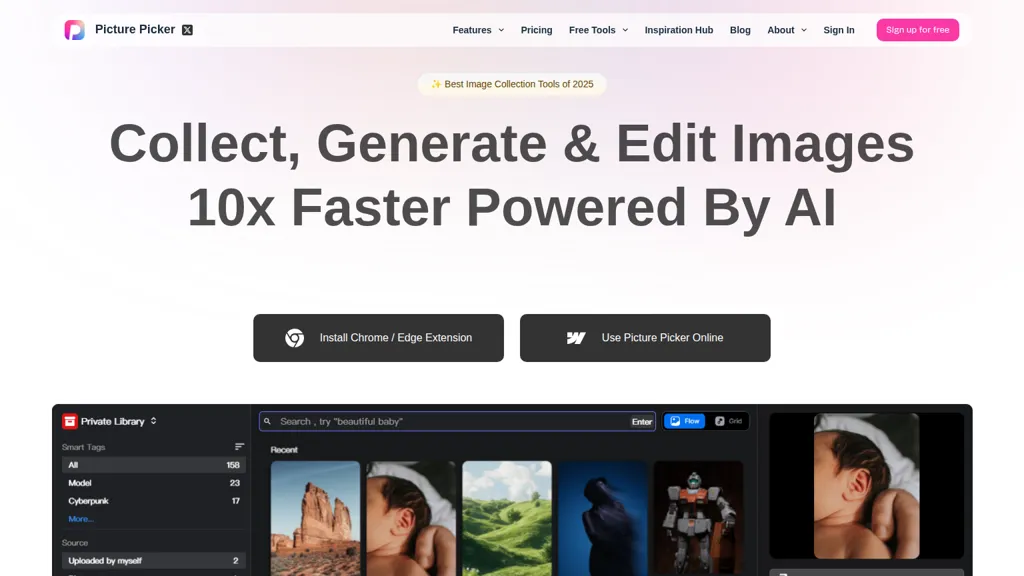
29 Picture Picker Alternatives & Competitors, Ranked by User Reviews
Click Compare on any tool to compare it side-by-side with Picture Picker.
 #1
AI Image Editor-
#1
AI Image Editor-
AI Image Editor is an online tool for editing and enhancing images with pixel-level precision. It supports various formats, offers text editing, artistic style transfers, and allows quick generation of image variations for efficient workflow.
 #2
Canva AI
#2
Canva AI
Canva's AI Image Generators turns text into visuals with customizable art styles and features like Magic Media, Create an Image, and automated reviews.
 #3
AI photo sorter
#3
AI photo sorter
AI Photo Organizer classifies images locally with neural networks, enabling drag‑and‑drop uploads, custom categories, and duplicate detection. It generates a script that moves kept photos into chosen folders and deletes others, all processed on the user’s computer.
 #4
AI Describe Picture
#4
AI Describe Picture
Describe Image & Picture extracts text, alt descriptions, and HTML snippets from PNG, JPEG, or WEBP files up to 2 MB, converting visuals into editable Markdown or code, auto‑tagging photos, and generating Flux image variants for creators, developers, and marketers.

DeepAI offers browser‑based AI tools for text‑to‑image, photo editing, background removal, super‑resolution, and video/musical generation, plus APIs for integration. It prioritizes user ownership, privacy, fast processing, and supports conservation research via object detection and habitat mapping.
 #6
AI Canvas
#6
AI Canvas
Kive automatically creates on‑brand product images from a URL or upload, applying preset styles like studio clean or editorial. It integrates product data, preserves lighting and color consistency, and lets teams edit and manage assets in a single workflow.
- Catch deals before they expire
- Unlock tools matched to you
- Show off your AI stacks
Already a member? Sign in
 #7
aiimageedit.ai
#7
aiimageedit.ai
AI Image Editor is a free online tool that utilizes AI to edit and enhance photos. It supports various image formats and batch processing, offering customizable transformations, aspect ratio adjustments, and precise edits for diverse visual content.
 #8
Image to Image AI
#8
Image to Image AI
Image to Image AI is a tool that intelligently edits and transforms your photos based on simple text prompts. It allows for complex alterations like style changes, object removal, and realistic detail enhancement while maintaining consistency.
 #9
PhotoEditor.ai
#9
PhotoEditor.ai
PhotoEditor.ai edits JPG, PNG, HEIC, and WEBP images up to 15 MB in a browser or mobile app. It offers portrait transformation, background removal, detail enhancement, and 4K upscaling, delivering instant downloads for photographers, marketers, and designers.
 #10
ai image editor-1
#10
ai image editor-1
AI Image Editor is an image editing and generation platform offering background removal, retouching, color correction, resizing, batch processing, templates, style transfer and an API for automating pipelines, plus export options, asset management and analytics.
 #11
AIEnhancer.ai
#11
AIEnhancer.ai
AIEnhancer.ai is a free online tool that instantly transforms blurry, low-quality images into high-resolution 4K photos. Simply upload your picture to apply AI-powered upscaling, noise reduction, and color correction, then preview and download the enhanced result.
 #12
ImageTool
#12
ImageTool
ImageTool aggregates free stock photos from Unsplash, Pexels, and Pixabay, offers AI image generation, and allows bulk upload, crop, compress, resize, and export to WebP/AVIF, simplifying web asset workflows for web designers and developers.

Palette automatically colorizes black‑and‑white images up to 5000 × 5000 px. Users upload single or multiple photos, choose from 150+ preset filters, and refine results with keyword‑driven adjustments to hue, saturation, and contrast. Ideal for photographers, designers, and archivists.
 #14
Imagine.art
#14
Imagine.art
ImagineArt unifies AI‑driven image, video, and audio creation and editing, enabling prompt‑based generation, upscale tools, drag‑and‑drop video workflows, 4K cinematic rendering, and real‑time team collaboration for streamlined media production for artists, designers, and creators.

Imglarger is an image enhancer that upsamples photos up to 8×, supports batch processing, and offers background, object, and face retouch tools. It converts WebP, JPEG, PNG, SVG, JFIF formats and lets users adjust brightness, contrast, and saturation via web or mobile.
 #16
HitPaw Photo AI
#16
HitPaw Photo AI
AI image enhancer that upscales up to 4×, removes noise, sharpens blur, and can enhance faces or colorize. Handles .png/.jpg/.webp/.tif/.bmp/.raw and outputs the same formats. Windows, macOS and Photoshop plugin supported.
 #17
AI Photo Editor
#17
AI Photo Editor
AI Photo Editor lets users upload up to ten images or generate new ones from text prompts, instantly editing or converting images into short videos. All processing runs client‑side, supporting face completion and consistent character edits for design and work.
 #18
AILab Tools
#18
AILab Tools
The AI Lab provides an advanced tool with image and facial enhancements features such as photo colorization, object and background removal, cartoon creation, retouching portraits, adjusting facial expressions, and API and platform for developers.

Image Editor Online is an AI-powered tool that edits your photos using simple text prompts. It allows you to remove backgrounds, adjust poses, transfer styles, and continuously refine your images in one place.
 #20
AI2image
#20
AI2image
AI2imag is an AI tool that quickly generates custom images for websites, blogs, and social media, offering three modes and a user-friendly interface.
 #21
iFoto
#21
iFoto
AI Photo Studio automates e‑commerce image editing: background removal, resolution enhancement, lossless compression, profile passport creation, hairstyle preview, object cleanup, old‑photo restoration, colorization, AI fashion model generation, clothing recolor, background changes, and file conversion to PDF/Word/PPT for streamlined product photography.
 #22
PhotoGrid
#22
PhotoGrid
PhotoGrid is a browser‑based AI photo editor that offers one‑click enhancement, background removal, and upscaling. It lets users build collages from 20,000 templates, add stickers, text, custom backgrounds, and convert images into short video clips.
 #23
imagedescriber.app
#23
imagedescriber.app
Generates detailed image descriptions, SEO-friendly alt text, and searchable tags from JPG/PNG/WEBP; performs OCR on text and tables, summarizes charts, converts images into prompts, and offers batch processing, API, and chat-for-image Q&A for workflows.
 #24
PicTools.AI
#24
PicTools.AI
PicTools.AI is a web‑based photo editor that lets users upload images and apply changes via text prompts or over 100 one‑click AI filters—background removal, outfit changes, smile addition, restoration, and artistic styles—without design skills.
 #25
A1.art
#25
A1.art
a1.art is an online AI image and video generator offering 250,000 collections and millions of filters for rapid editing. It supports style transfer, batch processing, category search, API integration, asset logging, and high‑resolution output.
 #26
ImageToImageAI
#26
ImageToImageAI
imagetolmageai.ai is an AI-powered image editing platform offering 12+ tools for enhancement, restoration, and creative transformation. It simplifies workflows with features like upscaling, background removal, and style transfer, requiring no technical skills for professional results.
 #27
Magickimg
#27
Magickimg
MagickImg is an AI image enhancement platform that uses deep‑learning models for upscaling, colorizing, background removal, and headshot generation. Its simple interface processes images quickly, securely deletes files after an hour, and uses a credit system for transparent usage.
 #28
Kolorize
#28
Kolorize
Kolorize automatically colorizes grayscale, black‑and‑white, or sepia images in 3–8 seconds. It accepts JPEG, PNG, WebP, GIF, or AVIF up to 4096×4096 pixels, resamples larger files, outputs colorized JPGs, and deletes uploads after processing.
 #29
Iconify AI
#29
Iconify AI
AI Icon Generator uses machine‑learning to produce custom app icons in seconds. Users describe the icon, choose one of 11 styles, set colors, and receive a 1024×1024 HD PNG/JPG or clipboard copy with full commercial rights.